Say where you're headed
Type the goal in your own words: learn Spanish, run a 10K, open a small shop. Add a deadline or what done looks like, if you know it.
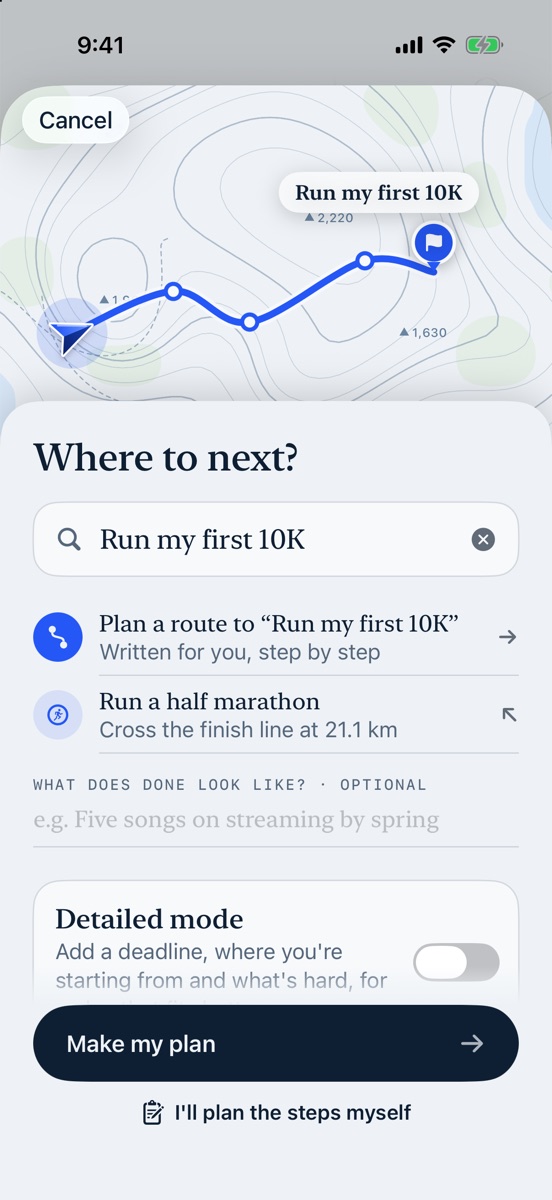
Tell GoalWay where you're headed. It draws the way there as a route on a map and shows you the one step to take next.
 Free for 14 days on theApp Store
For iPhone and Apple Watch
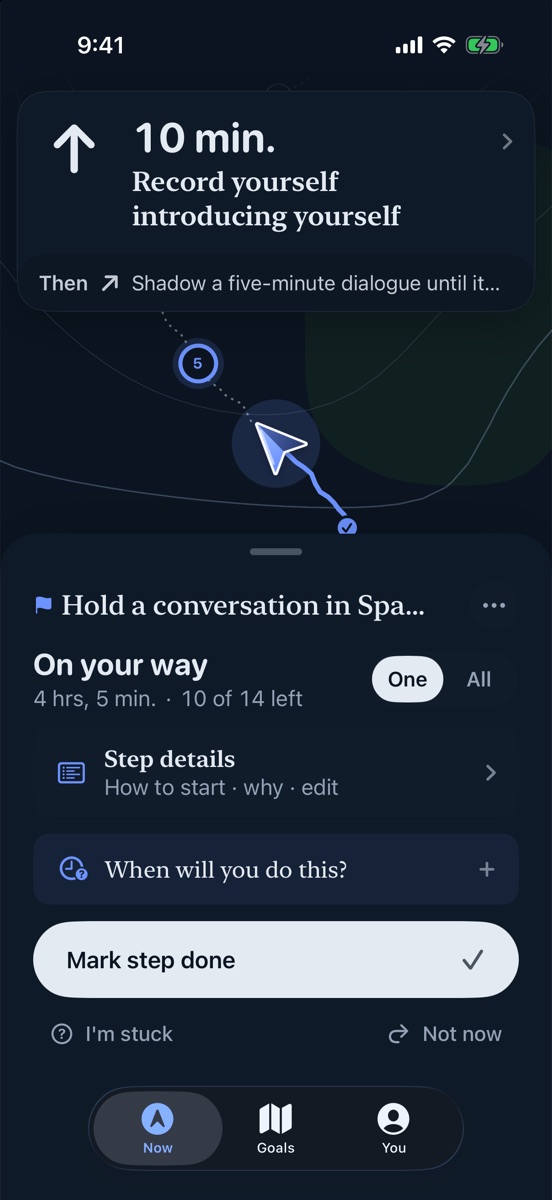
Most goals don't fail at the start or the finish. They stall in between, when the next move isn't obvious. GoalWay turns the whole goal into a route: a few parts, each made of small steps you can picture doing today.
Type the goal in your own words: learn Spanish, run a 10K, open a small shop. Add a deadline or what done looks like, if you know it.
Your goal becomes a map. Parts are stretches of trail, steps are waypoints, and every step is sized to the time you actually have.
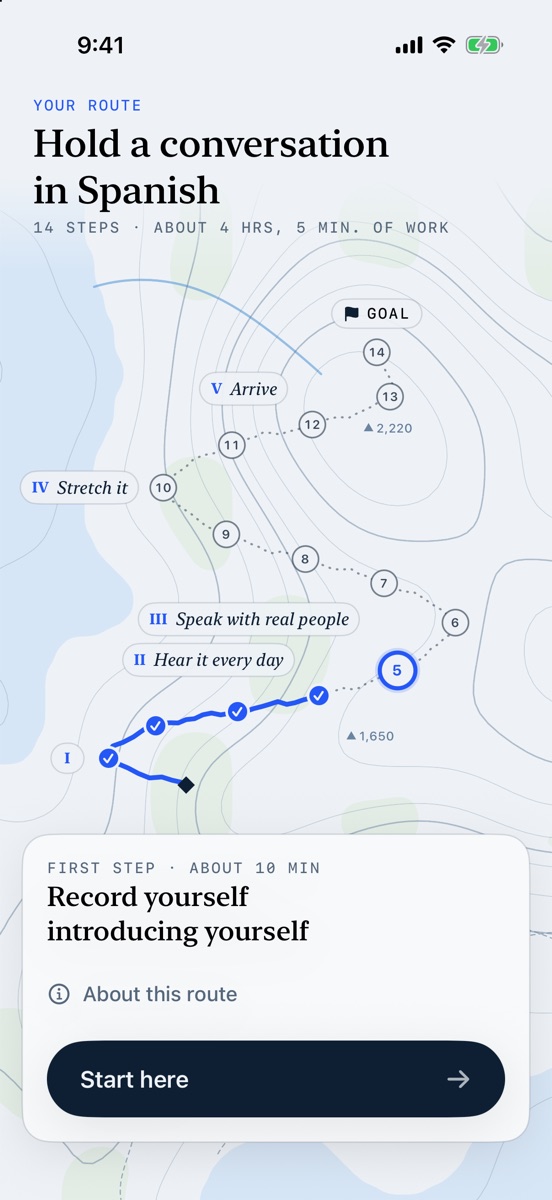
Now shows one step: what it is, how to start and about how long it takes. Finish it and the arrow moves on. Stuck? It breaks the step into smaller ones.
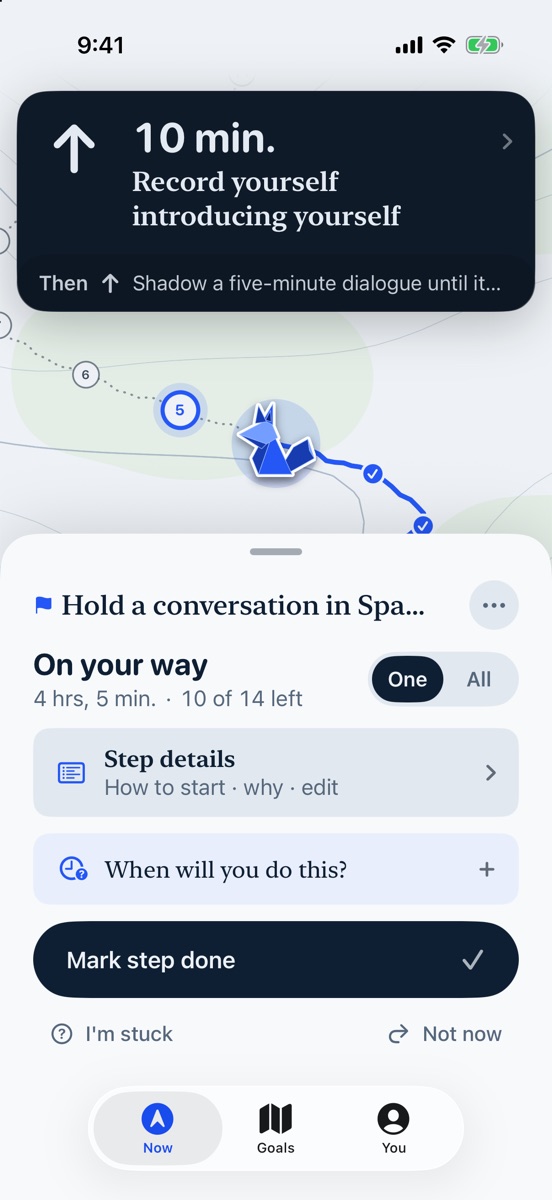
Every finished step stays on the map behind you. When you arrive, you see what it took and can share the route you walked.
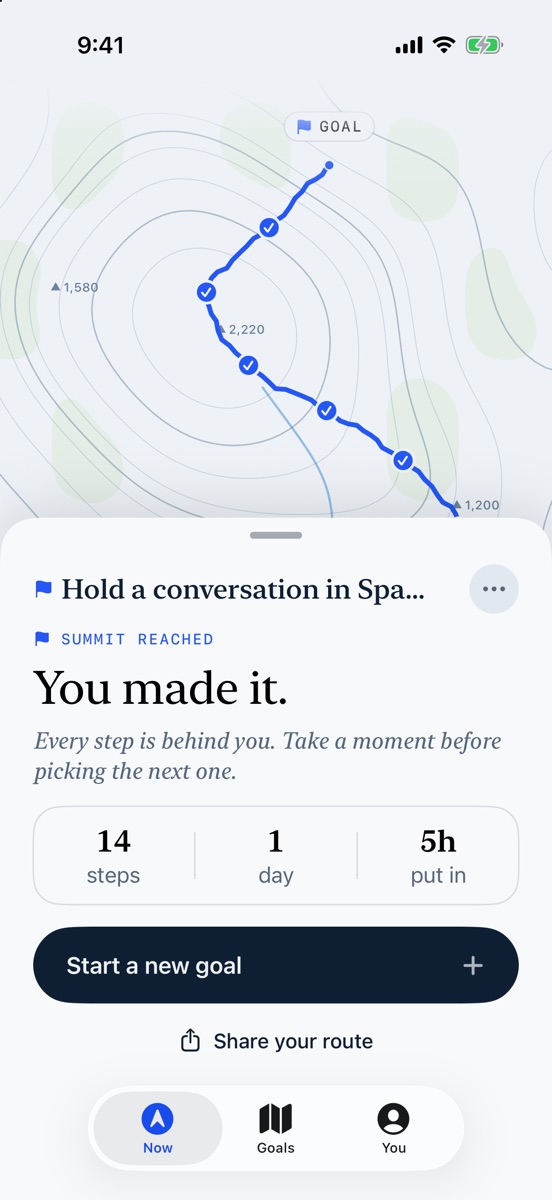
Every route is written for the exact goal you typed, never picked from a template.
Already know the steps? Type them in, or paste a list from Notes. The map draws itself as you go.
Your own routes get everything: the map, reminders, widgets, Apple Watch and celebrations.
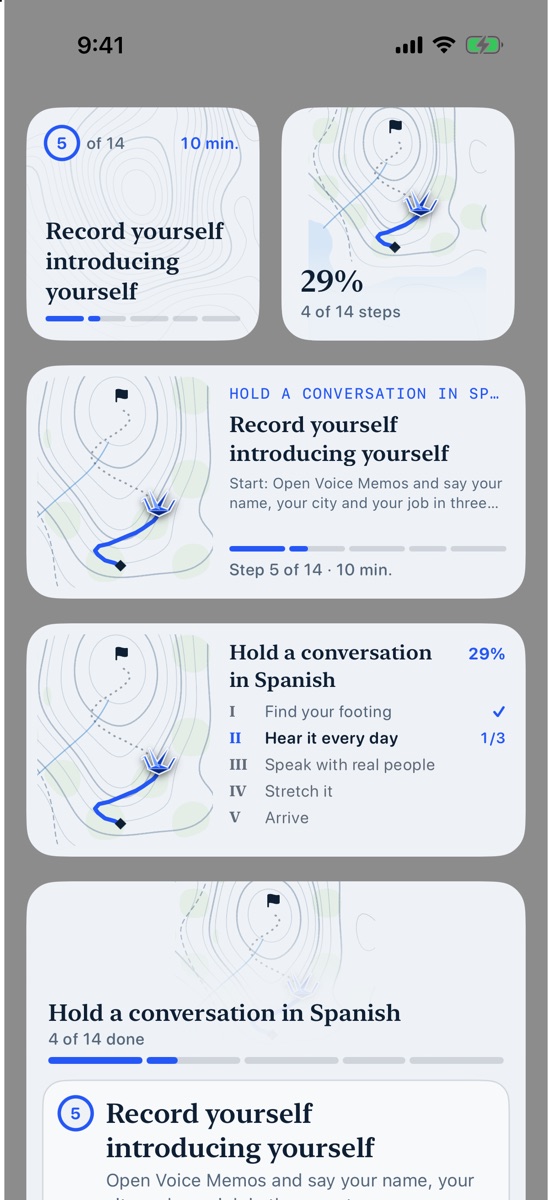
A classic arrow, or one of ten folded-paper companions. They take on your map's colour and turn to face the way you're heading.
Open the app and start. There's nothing to sign up for and nothing following you around.
Goals, steps and progress are stored on your device, and in your private iCloud if you use it.
When a route can't be written on your iPhone, GoalWay asks first. What's sent is used to write your route and is never used to train AI. Read the privacy policy.
Try every feature. If you don't continue, your routes stay in the app to look at.
About $2.08 a month. Starts with 14 days free. Cancel any time in Settings.
Pay once and keep GoalWay Plus for good. No subscription.
Give a year or a lifetime of Plus to someone you'd cheer on, and send them the code.
Prices in US dollars. The App Store shows your local price. Payment and renewals are handled by Apple.